Result editing dialog
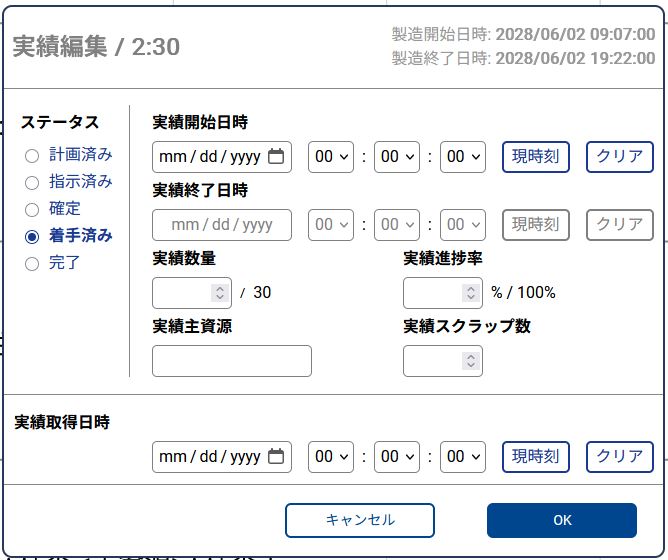
The result editing dialog lets you enter and edit the results of an operation.
Where it is available
- Resource Gantt Chart
- Order Gantt Chart
- Dispatching View
- Operation Table
To open the result editing dialog from the Order Gantt Chart, the project administrator must enable the setting "Allow entering results on the Order Gantt Chart as well."
To use the result editing dialog on the Dispatching View and the Operation Table, the project administrator must enable Edit result on each of those views.
Properties you can enter
- Status
- Reported start time
- Reported end time
- Reported quantity
- Reported progress rate
- Result obtained time
- Reported main resource (available from v.26.1)
- Reported scrap quantity (available from v.26.1)
Properties that must be enabled by a project setting
To enter the Reported main resource and Reported scrap quantity, the corresponding properties must be checked under Allow keying following result properties on the Project Settings page.